Monday, February 14, 2011

More Snow Layouts


More pictures from our snow day last January. This time they are pictures of our yard, street and backyard neighborhood.

Materials: Bo Bunny Snowy Serenade Sparkles paper, Bo Bunny Snowy Serenity paper, Advantus Tim Holtz Idea-Ology 2-1/2-Inch Ornate Plates, Cricut "Winter Woodland", DCWV Robin #2 paper, Martha Stewart Crafts Scallop 3 Dot Punch

Sunday, February 13, 2011

Snow Day

In January 22 last year we got quite a treat here in Yucaipa in the form of a big snowfall (big for our area that is). I made sure to take lots of pictures. How many chances would I get to scrap a snow day?

I bought paper online specifically for these layouts. It's Bo Bunny's Serenade collection. It's beautiful paper. Heavy cardstock with lots of glitter. I still have about 8 pages more to do for this snow day so I'll post them as they are done.


Materials: Bo Bunny Snowy Serenade Crystals paper, Bo Bunny Snowy Serenade Sparkles paper, Die Cuts With a View 12x12 Robin #2 paper, Cricut "Winter Woodland" Cartridge, Cricut "Joys of the Season" Cartridge, Tattered Angels Glimmer Mist Spray 2 Ounce Bottle - Slate, Stampin' Up Whisper Whites stamp pad, Stampin' Up Spring Bouquet Flower Punch, Stampin' Up Looks Like Spring stamp set, Stampin' Up Dazzling Diamonds Glitter

Thursday, February 10, 2011

Easter Bunny Cake


Easter and spring will be here before you know it. I wanted to share a cake that I made a few years ago for an Easter party. I used a Wilton shaped pan, a boxed white cake mix and homemade buttercream frosting. The ears and eyes were made out of pink and green taffy, rolled out in sugar. I added some black gel icing on the eyes. Next time I would dye some frosting black since the gel was a little runny. His nose is a red jelly bean and his teeth white pillow mints. This was a good beginner cake for me because the icing wasn't supposed to look smooth and there wasn't any decorating with icing tips

Sunday, January 30, 2011

Ancestry.com


This is Part 3 in my blogs on researching your families genealogy. For the first two blogs, click HERE for the "Genealogy: Where To Started" post and HERE for the "Family Tree Maker" post (or click on the label "genealogy" for all three posts).

OK...so you've talked to your oldest relatives and bought a software program that can store all the information you are going to be researching. Now what?

Even if you didn't buy Family Tree Maker, I suggest getting a subscription to Ancestry.com. I'm sure you've seen the "I gotta a leaf" commercials. Click HERE to watch it. Ancestry.com also partnered a show with NBC called, "Who Do You Think You Are?" Years ago, I bought Family Tree Maker Version 16 and it came with a 1-year subscription to Ancestry.com (a $100 value). From what I can tell, Family Tree Maker 2011 does not include a free subscription. I'm sure Family Tree Maker 2011 has a lot of new exciting features but just be aware that there are older versions out there, some coming with a free subscription and some without. Family Tree Maker (any version) and Ancestry.com are a nice research duo because the software has a Web Search that is integrated with Ancestry.com. In other words, the software works with the website to automatically look for information.

Ancestry.com also offers a 14-day free trial. Be careful though. All of the free subscription offers require you to enter your credit card information and if you don't cancel the free subscription, you'll be charged automatically for a renewal. Don't let this scare you off though. Even as absentminded as I am, I put a reminder on my calendar and canceled the free subscription before being charged a renewal fee.

Ancestry.com has so many features that it would probably be most beneficial to go directly to their website to review them all. Click HERE to go there now.

In case you don't want to leave this site, however, here are some of the features I found the most useful:

Census Records
Immigration & Emigration Records
Military Records
Birth, Marriage & Death Records
Family Trees
Court, Land, Wills & Financial Records

There are of course many many more and you can also simply put in a name to "Search All Records". The possibilities are virtually endless.

I'm going to try my best to post more blogs about genealogy. As I mentioned before, I'm no expert. BUT, I did research my families history for many years and would like to pass on the knowledge I gained in what was a slow learning process. I plan on posting what I know about the following topics in the future:

Free Online Websites
Library Sources
Census Records
Cemetery Records
Marriage & Death Records
Obituaries
Family Group Sheets
Encyclopedia of American Quaker Genealogy
The Church of Jesus Christ of Latter Day Saints

Friday, January 28, 2011

Girl Baby Shower

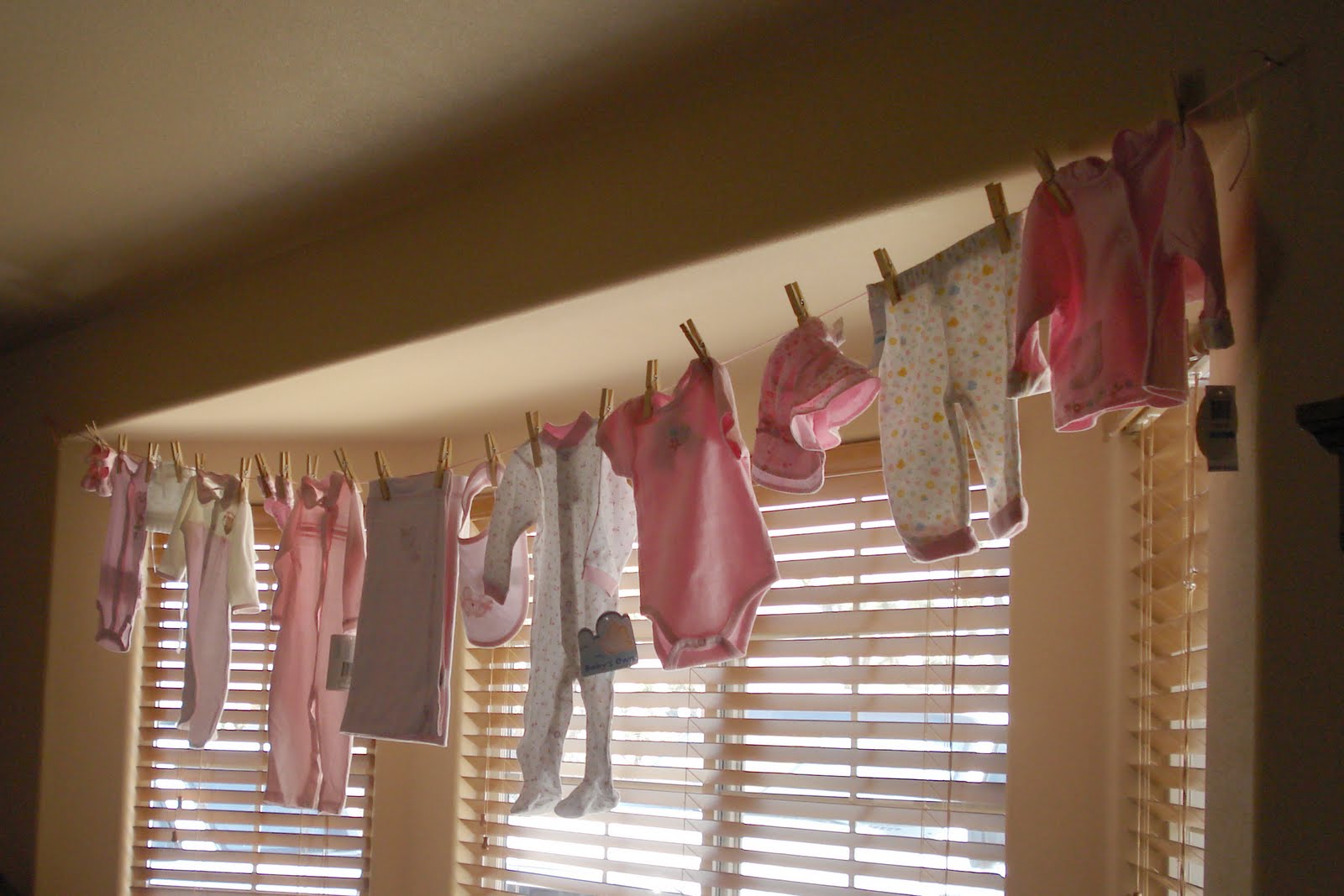
Although it was over two years ago, I thought I would post some pictures from my sister-in-laws baby shower. This was such a fun party to make things for. I loved the colors (pink and brown) and getting to use butterflies and other little creatures. I also tried to tie in the "clothesline" theme that is so popular now.


The invitation. It was a standard folding card. This is the outside of the card. The information was printed inside.


For diaper cake directions, click HERE.


For an additional watermelon baby carriage design, click HERE.


Scrapbook Layouts


Materials: My Mind's Eye Bohemia Blossom Angel Small Damask/Pink paper, Stampin' Up Chocolate Chip card stock, ColorBox Pigment Ink Petal Point Option Pads - Tuscany, Fiskars Scissors 6 Pack Paper Edgers Designer Series, Cricut "New Arrival" cartridge, Cricut "Opposites Attract" cartridge, Stampin' Up Something To Celebrate stamp set, Creativity Journaling Stamps Stampology Clear Stamps, The Paper Company Clear Stamps - Journaling, Prima flowers, BBSBGG Baby Girl Clothes Line Garland

Thursday, January 27, 2011

Pampered Chef Chicken Tortilla Soup

I wanted to share a recipe that I have been making lately. My family loves it and it's so easy. I had it at a Pampered Chef party and just had to get the recipe. I like it because I usually have most of the ingredients on hand and if I don't I substitute.

Chicken Tortilla Soup Recipe

4 (6") corn tortillas
1/2 C onion, chopped
3 boneless, skinless chicken breast halves
1 garlic clove
1/4 tsp. chili powder
1/4 tsp. ground cumin
2 cans (14.5 oz each) Chicken broth
1 can (14.5 oz) diced tomatoes, undrained
1 can (4 oz) chopped green chilies, undrained
4 tsp. fresh cilantro, snipped
2 oz reduced-fat cheddar cheese, shredded (1/2 C)
4 thick slices fresh lime (optional)

Preheat oven to 400°F. Cut tortillas into 1/2" strips using Kitchen Shears. Place on flat Baking Stone. Bake 7-8 minutes or until crisp.

Meanwhile, chop onion using Food Chopper. Cut chicken into 1/2" pieces using 8" Chef's Knife. Heat Generation II 4 Qt Casserole over medium-high heat. Spray with vegetable oil using Kitchen Spritzer. Add chicken; cook and stir 3 minutes. Add onion, garlic pressed with Garlic Press, chili powder and cumin. Cook and stir 2 minutes. Stir in broth, tomatoes and chilies. Bring to a boil. Reduce heat and simmer 10 minutes.

Snip cilantro using Kitchen Shears. Divide tortilla strips among 4 bowls. Ladle soup over totillas using Nylon Ladle. Shred cheese over top with Deluxe Cheese Grater. Sprinkle soup with cilantro. Garnish each bowl with lime slice to squeeze juice into soup, if desired.

I use regular mild cheddar cheese, not reduced fat.

Substitutions I use:
Garlic Powder = fresh garlic
Tortilla chips = corn tortillas

Wednesday, January 26, 2011

Haunted House Layout


This one is a little different but I was trying to use my creative side. Let me know what you think.

Materials: Imaginisce Bazzill Collection Flowers Bling Blossoms Large - Black Tie, Cricut "Paper Doll Dress Up" cartridge, Cricut "Heritage" cartridge, Bazzill 1-1/2'' Primula Paper Flowers - Black, Prima Mango flowers